2013-07-10 07:14:44 +00:00
sublime-wakatime
2013-07-02 05:43:12 +00:00
================
2013-10-27 00:52:39 +00:00
Fully automatic time tracking for Sublime Text 2 & 3.
2013-07-02 09:21:13 +00:00
Installation
------------
2013-08-08 10:13:19 +00:00
Heads Up! For Sublime Text 2 on Windows & Linux, WakaTime depends on [Python ](http://www.python.org/getit/ ) being installed to work correctly.
2013-07-25 17:47:31 +00:00
2014-03-05 21:55:08 +00:00
1. Get an api key from: https://wakatime.com/#apikey
2013-07-02 09:21:13 +00:00
2013-07-11 03:24:39 +00:00
2. Using [Sublime Package Control ](http://wbond.net/sublime_packages/package_control ):
2013-07-02 09:21:13 +00:00
2013-07-11 03:24:39 +00:00
a) Press `ctrl+shift+p` (Windows, Linux) or `cmd+shift+p` (OS X).
2013-07-02 09:21:13 +00:00
2013-07-11 03:24:39 +00:00
b) Type `install` , then press `enter` with `Package Control: Install Package` selected.
2013-07-11 02:01:06 +00:00
2013-07-11 03:24:39 +00:00
c) Type `wakatime` , then press `enter` with the `WakaTime` plugin selected.
2013-07-11 02:04:46 +00:00
2014-03-05 21:55:08 +00:00
3. You will see a prompt at the bottom asking for your [api key ](https://www.wakatime.com/#apikey ). Enter your api key, then press `enter` .
2013-07-11 02:04:46 +00:00
2013-07-11 03:24:39 +00:00
4. Use Sublime and your time will automatically be tracked for you.
2013-07-02 09:21:13 +00:00
2014-03-05 21:55:08 +00:00
5. Visit https://wakatime.com to see your logged time.
2013-07-02 09:21:13 +00:00
2013-07-11 03:53:28 +00:00
6. Consider installing [BIND9 ](https://help.ubuntu.com/community/BIND9ServerHowto#Caching_Server_configuration ) to cache your repeated DNS requests: `sudo apt-get install bind9`
2013-07-02 09:21:13 +00:00
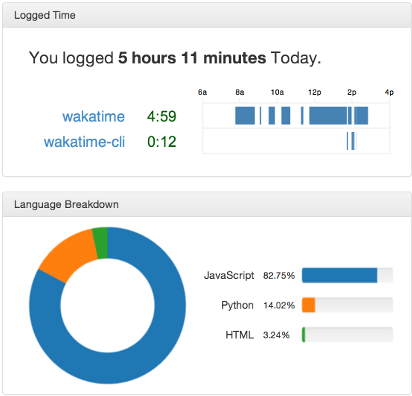
Screen Shots
------------
2014-03-05 21:55:08 +00:00
2013-07-02 09:21:13 +00:00

